Draw 1 vs Draw 3 Solitaire: Which Should You Play?
Every Klondike Solitaire game asks the same first question: draw one card or three? It changes the game more than it seems.
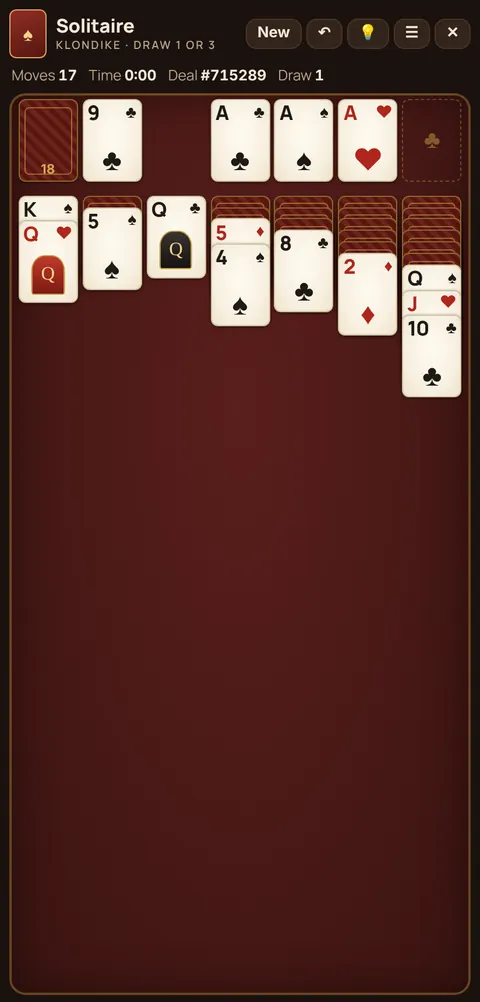
How each mode works
| Draw 1 | Draw 3 | |
|---|---|---|
| Cards turned per tap | 1 | 3 (only the top one is playable) |
| Can you reach every card? | Yes, on every pass | No, only every third card unless the order shifts |
| Difficulty | Easier | Harder, the "classic" Windows default |
| Best for | Learning, relaxing, a quick win | Players who want more thinking |
Why Draw 3 is so much harder
With 24 cards in the stock, Draw 3 only shows you 8 of them on a pass: cards 3, 6, 9 and so on. The other 16 are stuck until you play one of the visible cards, which shifts the rest by one. That means some deals simply can't be won, because the card you need never comes up at the right moment.
How to play Draw 3 well
- Remember the order. On your first pass, notice which cards appear. The order repeats on the next pass unless you play from the waste.
- Play from the waste to shift the deck. Taking one card off changes which cards land on top next time.
- Work the table first. Make every tableau move before you start going through the stock.
How to play Draw 1 well
- Since every card is reachable, the challenge moves to the table: which hidden cards to free and which King to put in an empty column.
- Try to win in as few moves as possible. Cheettukali records your fewest moves for each mode.
So which one?
If you want to relax and win often, choose Draw 1. If you grew up on Windows Solitaire and want that familiar challenge, choose Draw 3. You can switch any time in the ☰ menu, and your statistics are kept separately for each mode.
🃏 Try it now: play Solitaire free in your browser, no download, no money.
FAQ
Which is the original Solitaire, Draw 1 or Draw 3?
Windows Solitaire started in Draw 3 by default, which is why many people think of it as the classic version. Both are standard Klondike.
Can I change between Draw 1 and Draw 3?
Yes, in the ☰ menu. The change applies from the next game.