How to Play the 29 Card Game on PC (Free, No Download)
Searching for "29 card game for PC" usually leads to Android emulators and heavy downloads. You don't need any of that. Cheettukali's 29 runs directly in your computer's browser and can be installed like a desktop app in two clicks.
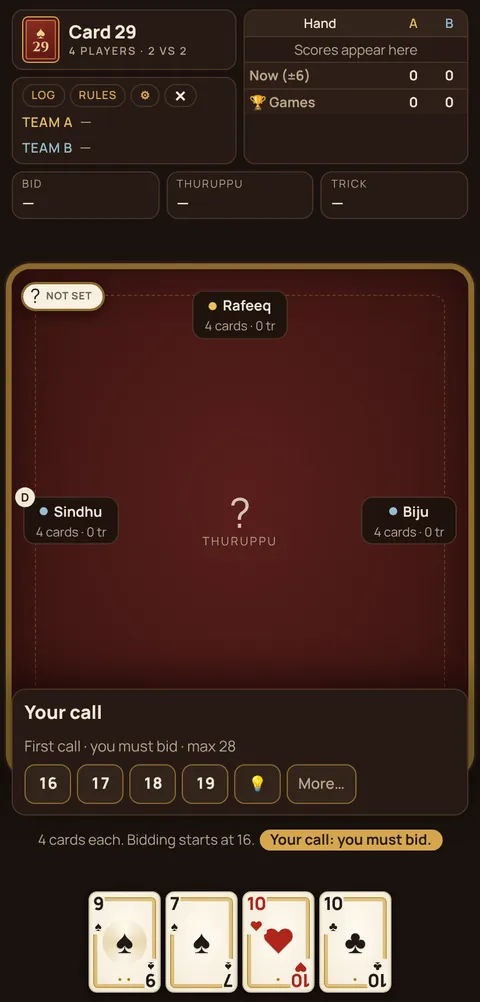
Option 1: just open it in your browser
- Open Chrome, Edge, Firefox or Safari on your PC or Mac.
- Go to cheettukali.com/29-card-game/.
- The first hand is dealt. Click a card to play it.
That's it. No sign-up, no download, no money.
Option 2: install it as a desktop app
Cheettukali is a Progressive Web App (PWA). On Windows, Mac, Linux or a Chromebook:
- Open the 29 page in Chrome or Edge.
- Click the install icon in the address bar (a small monitor with a down arrow), or open the ⋮ menu and choose Install Cheettukali / Apps → Install this site as an app.
- It now opens in its own window, with its own icon in the Start menu or Dock.
Does it work offline?
Yes. After you have opened the game once, it is saved on your computer and works without internet, which is handy on flights and slow connections.
Why not use an emulator?
- Emulators like BlueStacks need gigabytes of space and a strong PC.
- Many 29 apps carry heavy ads or push you towards real-money tables.
- A browser game starts instantly and updates itself.
Keyboard and mouse tips
- Click a card once to play it. Bidding uses the + and − buttons.
- Press the Rules button any time to check the card points.
- Use the ⚙ settings to change speed, sound and the table colour.
The same works for the other games: 28, 40 and 56.
Troubleshooting
- No install button? Firefox on desktop doesn't install web apps; use Chrome or Edge, or just keep a bookmark.
- Old version showing? Close the window and open it again; updates load automatically in the background.
- Cards too small on a big monitor? Use your browser zoom (Ctrl and +) or resize the window narrower.
- Lost your scores? Scores are saved in the browser. Clearing site data or using private mode resets them.
Is it safe?
Yes. The game runs inside your browser's sandbox, asks for no permissions, needs no account and sends nothing about your play anywhere.
🃏 Try it now: play the 29 card game free in your browser, no download, no money.
FAQ
Can I play 29 card game on PC without downloading?
Yes. Open the 29 page in any modern browser and play immediately. You can optionally install it as an app.
Is the PC version of 29 free?
Yes. Cheettukali is completely free with no real money and nothing to buy.